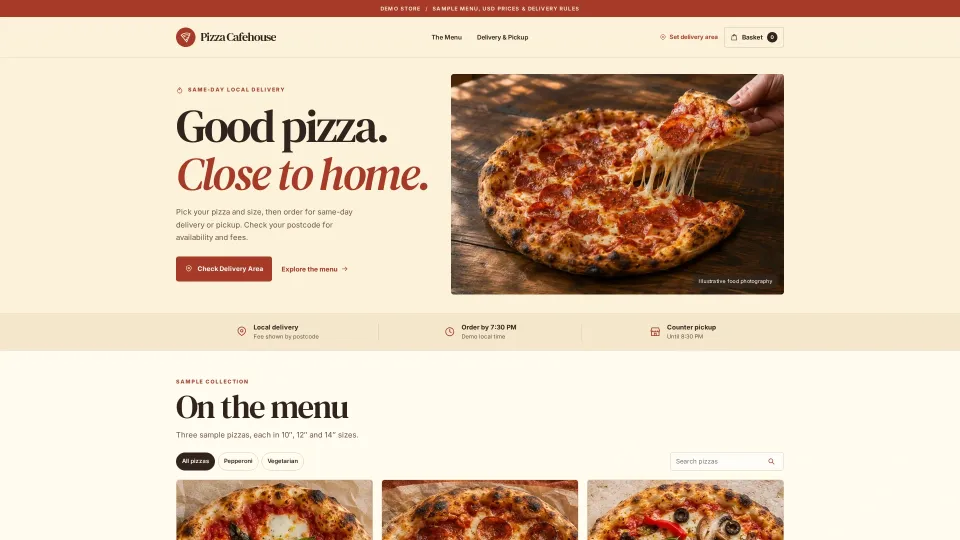
Pizza Cafehouse
A Plain PHP and SQLite pizza ordering site with menu search, size variants, same-day delivery and pickup, guest checkout, and a tabbed admin for orders, stock, CAPTCHA, two-factor sign-in and WhatsApp support.
3-day money back
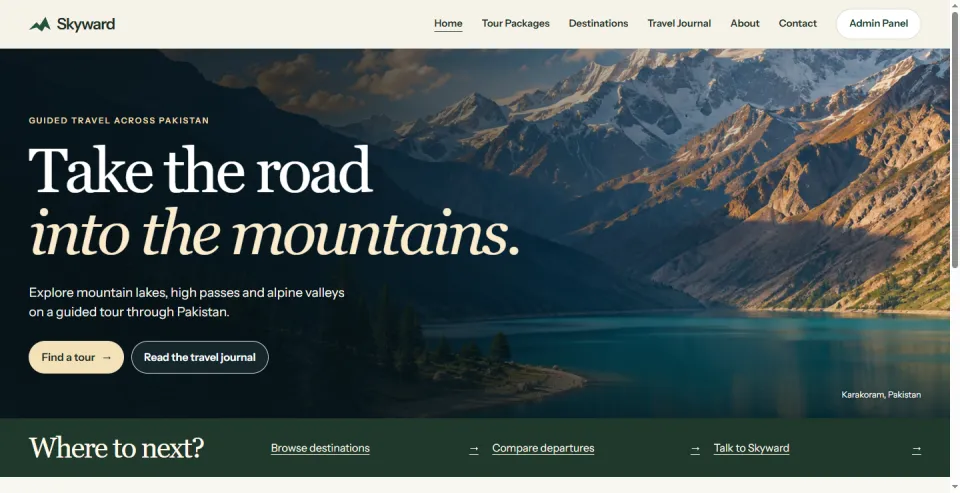
Skyward is a Laravel travel website for tour operators. Publish tour packages and itineraries, accept guest booking requests, and share travel stories with photo galleries. Manage bookings, enquiries, branding, and storefront colours from one admin panel.
Publish your departures, tell the story behind each route and manage booking enquiries from one admin panel.
Skyward is a self-hosted website for tour operators, travel agencies and small trip organisers. Build a catalogue of trips and destinations, show travellers what each departure includes and let them request seats directly from the tour page.
Give each trip its own cover image, itinerary and related journal entries. Use the Storefront Editor to update homepage sections, page covers, buttons and public form labels from the admin panel.
Organise packages by destination and let travellers compare departure months and budgets. Each listing shows the date, duration and price per person.
Use the day-by-day itinerary, trip highlights, meeting point and packing notes to show what guests can expect. List included and excluded services on the page.
Guests select their seat count and accept the published terms. The team reviews each request in admin and sets it to Pending, Confirmed or Cancelled. Confirmed seats count against capacity.
Receive contact messages in the admin inbox and separate read from unread enquiries. Open an email reply or offer WhatsApp contact using the configured business number.
Publish a travel journal with cover images and photo galleries. Link stories to a tour so guests can browse relevant photos before sending an enquiry.
Change cover images, headlines, menus, buttons, footer links and selected theme colours. Show or hide homepage sections and choose how many departures and stories to display.
The homepage combines a large cover, quick links, upcoming departures and the travel journal. The catalogue has filters for destination, departure month and maximum price, with pagination and a clear-filters action.
Each published destination has its own profile and related packages. Tour pages show the departure city and date, per-person pricing in PKR, highlights, itinerary and trip essentials. Admins can give each tour and destination its own page cover.
Travellers can submit a request without creating an account. The form collects contact details, a seat count and agreement to booking terms. Skyward records the request and displays its reference.
The dashboard shows upcoming tours, pending requests and unread contact messages. The booking list can be filtered by status. Confirming a request updates the available seats, and expired or sold-out departures close to new bookings.
The contact form saves new messages to the inbox. The admin can open a message, mark it as read and use email or WhatsApp reply links when the guest has supplied the relevant details. With a business WhatsApp number configured, a guest can also save a booking request and open a prepared WhatsApp message to send.
Write stories with excerpts, cover photos, travel dates and galleries of up to eight photos. Associate a story with its tour, keep it as a draft while editing or publish it in the public journal.
Edit hero headings, copy, images, captions and buttons. Change selected colours, public labels and navigation links. Manage the site name, logo, favicon, footer headings and social links from the appropriate admin screens.
Update About, Contact, FAQ and Privacy Policy content and their page metadata. Reorder FAQ entries and choose which appear. Publish revised booking terms while keeping past bookings linked to the version each guest accepted.
Manage the site's title and description and choose whether public pages may be indexed. Skyward provides a sitemap and robots file, with share metadata for tours and travel stories.
The browser installer creates the first administrator and checks the supplied Skyward activation key. Admins can enable authenticator-based two-step verification and configure reCAPTCHA for selected forms. A background scheduler checks for SourceWrap license updates after installation.
Tour operators, travel agencies and small trip organisers that publish departures and handle guest booking requests from their own website.
Guests can request seats directly from the tour page by providing the requested contact details and accepting the booking terms.
The request stays pending until an operator confirms it. Any payment is arranged separately by the operator.
Yes. The Storefront Editor manages page heroes, buttons, links, featured section visibility and selected colours. Navigation, Footer and Settings provide their own editing screens.
Yes. Prepare the listing or story in admin and publish it when ready.
Set a business WhatsApp number in admin. When a guest chooses the WhatsApp option, Skyward saves the request first and opens a prepared message for the guest to send.
Skyward 1.0.0 requires MariaDB 10.11 or later. Check the database server version supplied by your hosting plan before installation.
A separate demo SQL import is available for an installed demo database. It adds sample destinations, departures, stories and galleries, booking statuses, FAQ entries and inbox messages.
Browse 69 included features and controls across the public website, booking workflow and administration tools.
INCLUDED VERIFIED IN BROWSER TESTS
The verified badges refer to workflows exercised in a test installation. SourceWrap checks used a signed test fixture.
Choose a PHP hosting environment that can run the web installer, serve the included rewrite rules and run the Laravel scheduler.
These requirements apply to the Skyward 1.0.0 buyer release with the Storefront Editor.
Use a compatible PHP version for both browser requests and CLI commands. The installer checks the browser runtime and required extensions.
Skyward 1.0.0 installs on MariaDB 10.11 or later. The MYSQL badge refers to the database family. If your hosting panel labels the service MySQL, check the actual database engine and version before installing.
Create an empty database and give its user permission to create and alter tables and indexes and to read and write application data.
Enable rewrite rules and .htaccess handling for the packaged layout. The included rules route public requests and restrict direct access to private application files.
Use a public HTTPS URL and allow outbound HTTPS to the SourceWrap activation service. The PHP runtime must have a trusted CA certificate bundle and the installer requires a valid Skyward license key.
Keep the app layout and dotfiles intact. Allow the installer to create the environment configuration and give PHP write access to the application's storage, cache and public upload locations listed in the install guide.
Configure cron with compatible CLI PHP so SourceWrap license status and admin notices can synchronize after installation.
The browser installer checks these capabilities. The host may already enable some of them.
pdo_mysql) for MariaDBREQUIRED/install.php under your site's URL. Enter the public site address, database credentials, Skyward key and details for the first administrator./admin/login.Skyward schedules SourceWrap license checks and admin notice updates every minute. If you already have a Laravel scheduler job for this Skyward installation, use that job.
* * * * *).core/artisan in your Skyward folder./opt/alt/php84/usr/bin/php /absolute/path/to/skyward/core/artisan schedule:run -v
Over SSH, check the CLI version with /opt/alt/php84/usr/bin/php -v. Use the verified PHP CLI path for your server if different. From the directory containing Skyward's artisan, confirm that sourcewrap:activation-sync is due every minute.
/opt/alt/php84/usr/bin/php artisan schedule:list
Save the cron job and check its scheduled run in View Output in hPanel.
Enter a business WhatsApp number to display customer chat and booking links. Guests send messages in WhatsApp after the handoff.
Supply site and secret keys if you enable CAPTCHA for selected forms.
Hostinger Web and Cloud plans use MariaDB. Check the actual database version, web and CLI PHP, extensions and cron availability on your plan before installation.
No reviews yet.
Log in to write a review