
Shehad
شہد فروخت کرنے کے لیے اردو RTL لینڈنگ پیج۔ بصری ایڈیٹر سے تصاویر، قیمت اور پیک سائز بدلیں، واٹس ایپ پر آرڈر کی گفتگو شروع کریں اور رابطہ پیغامات ایڈمن ان باکس میں پڑھیں۔
3-day money back
Rs. 3,000
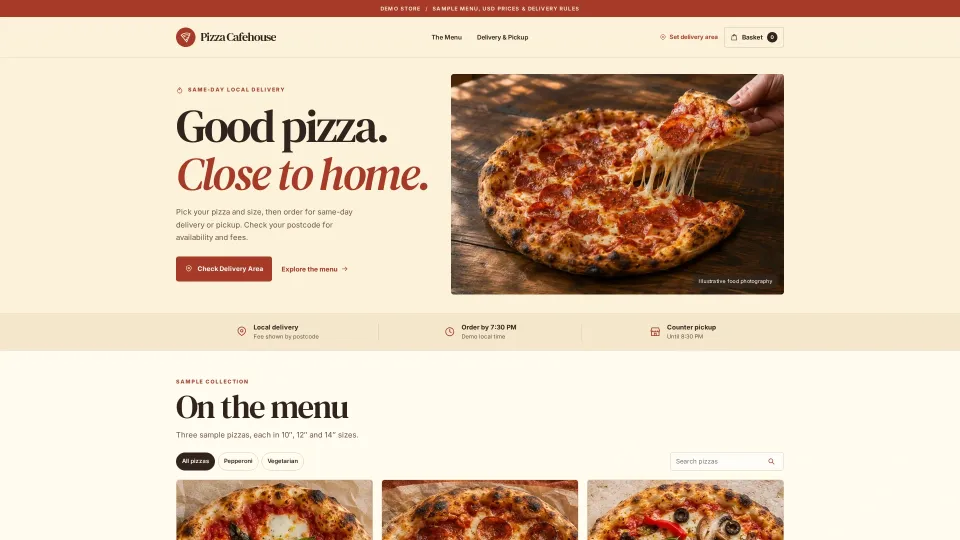
A Plain PHP and SQLite pizza ordering site with menu search, size variants, same-day delivery and pickup, guest checkout, and a tabbed admin for orders, stock, CAPTCHA, two-factor sign-in and WhatsApp support.
Screenshot unavailable
1 / 7
SQLite Buyer Release 1.2.1
A pizza ordering site for restaurants, takeaways and local kitchens. Customers choose their pizza and size, check same-day delivery or pickup availability, and order as guests.
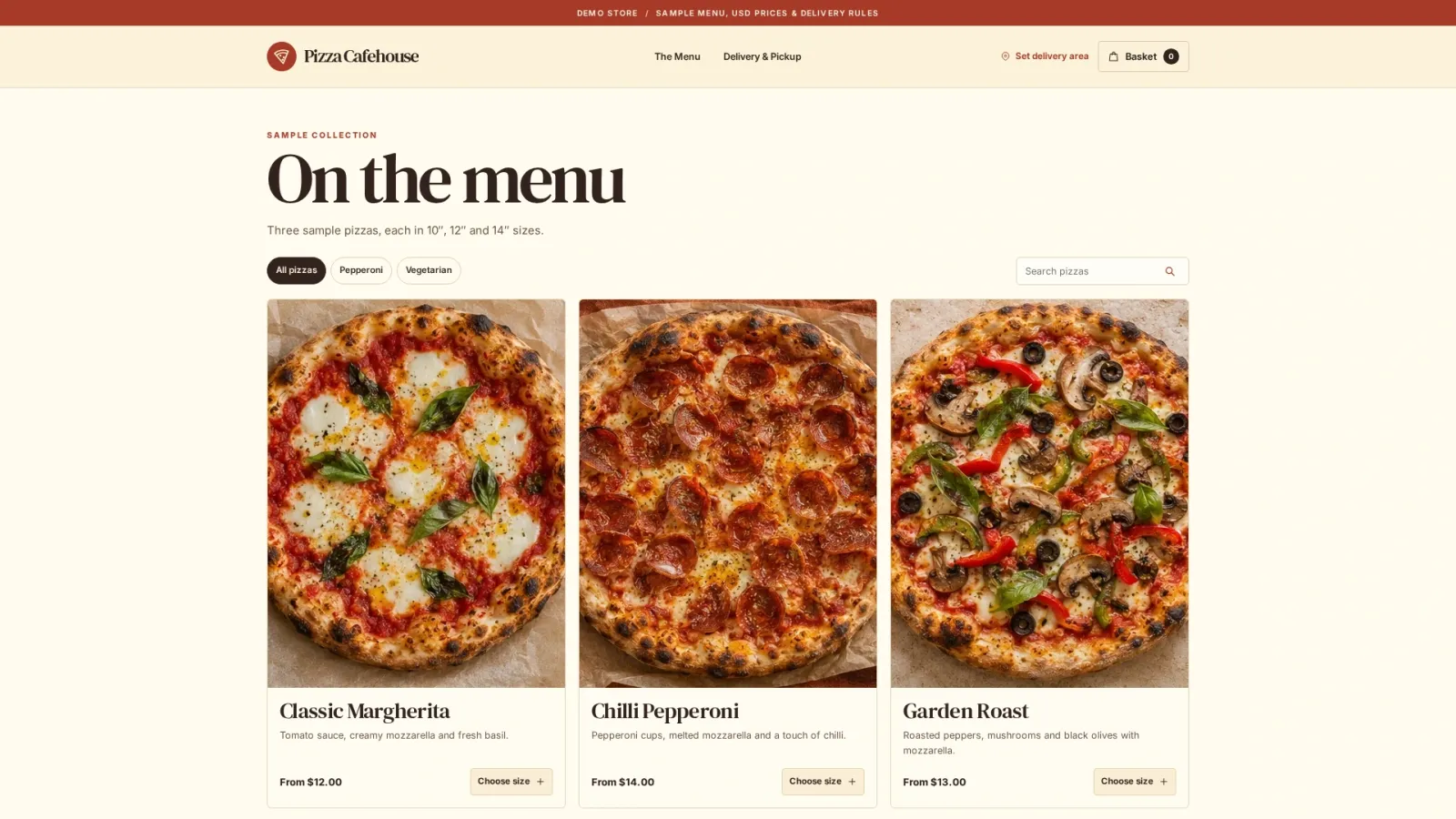
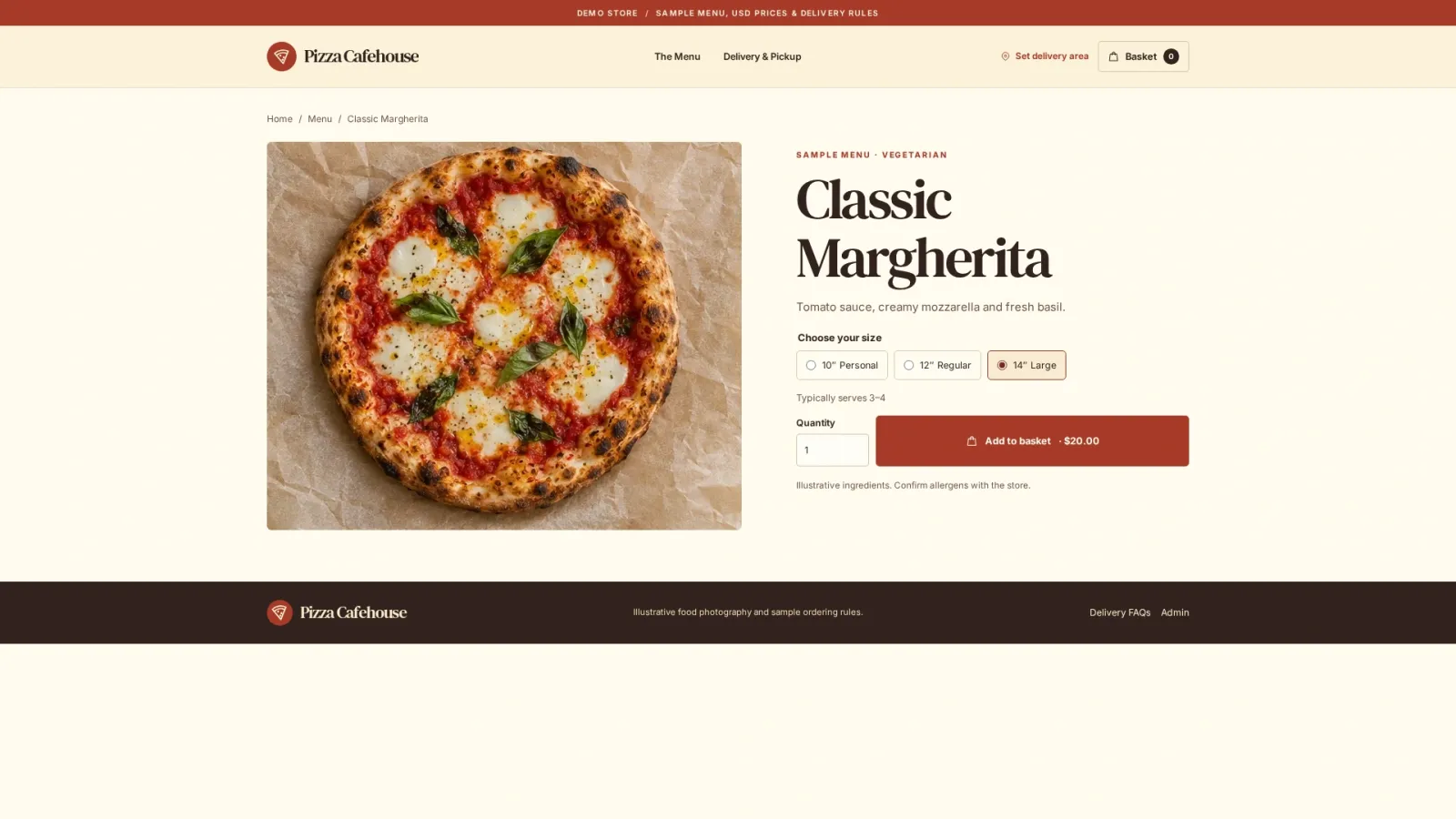
Shoppers can search and filter the menu, read ingredients and allergens, choose a size and quantity, and see the price before adding a pizza to the basket.
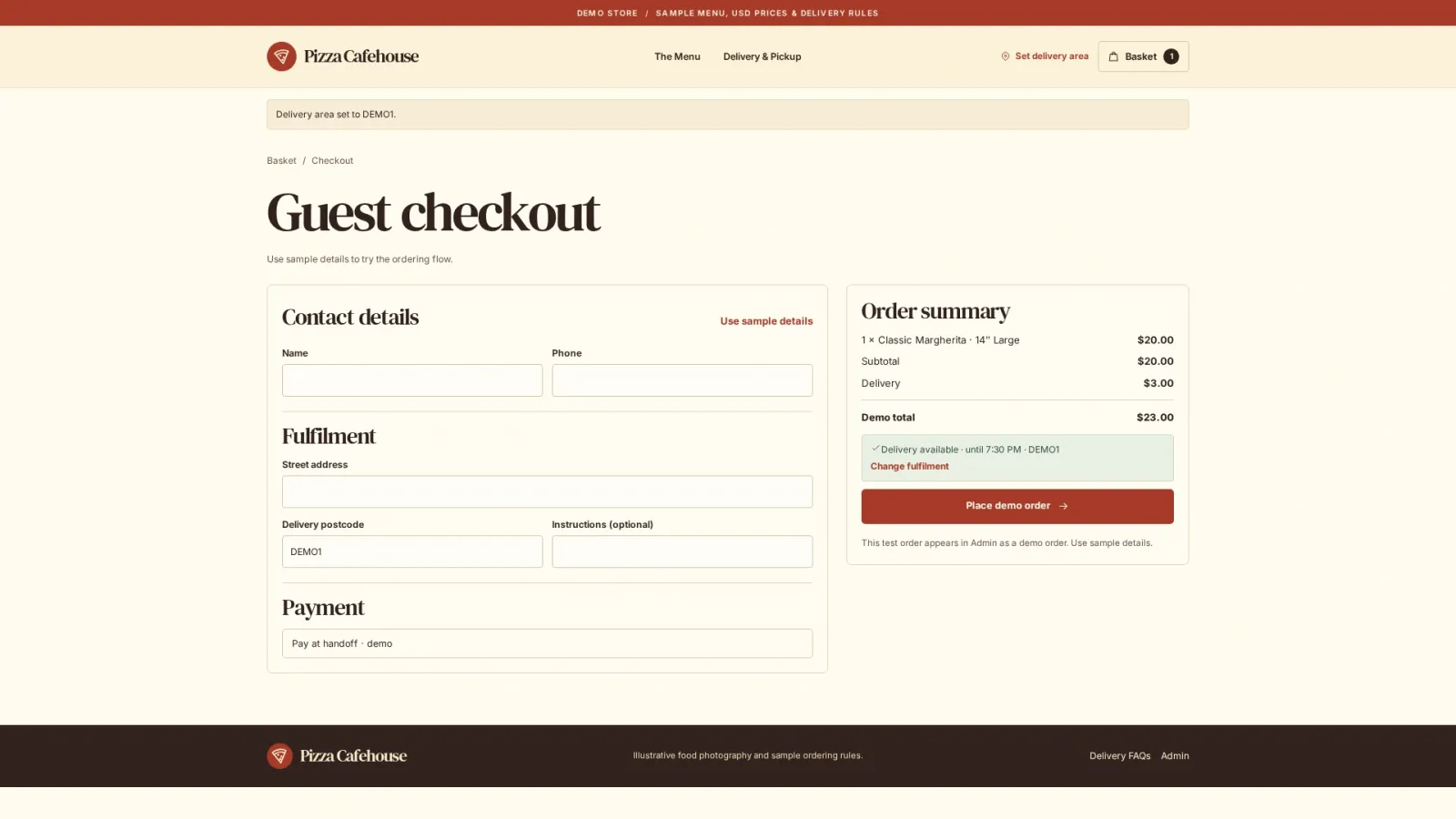
Set a fee for each postcode or locality code, configure daily delivery and pickup hours, and show customers the applicable fee before they place an order.
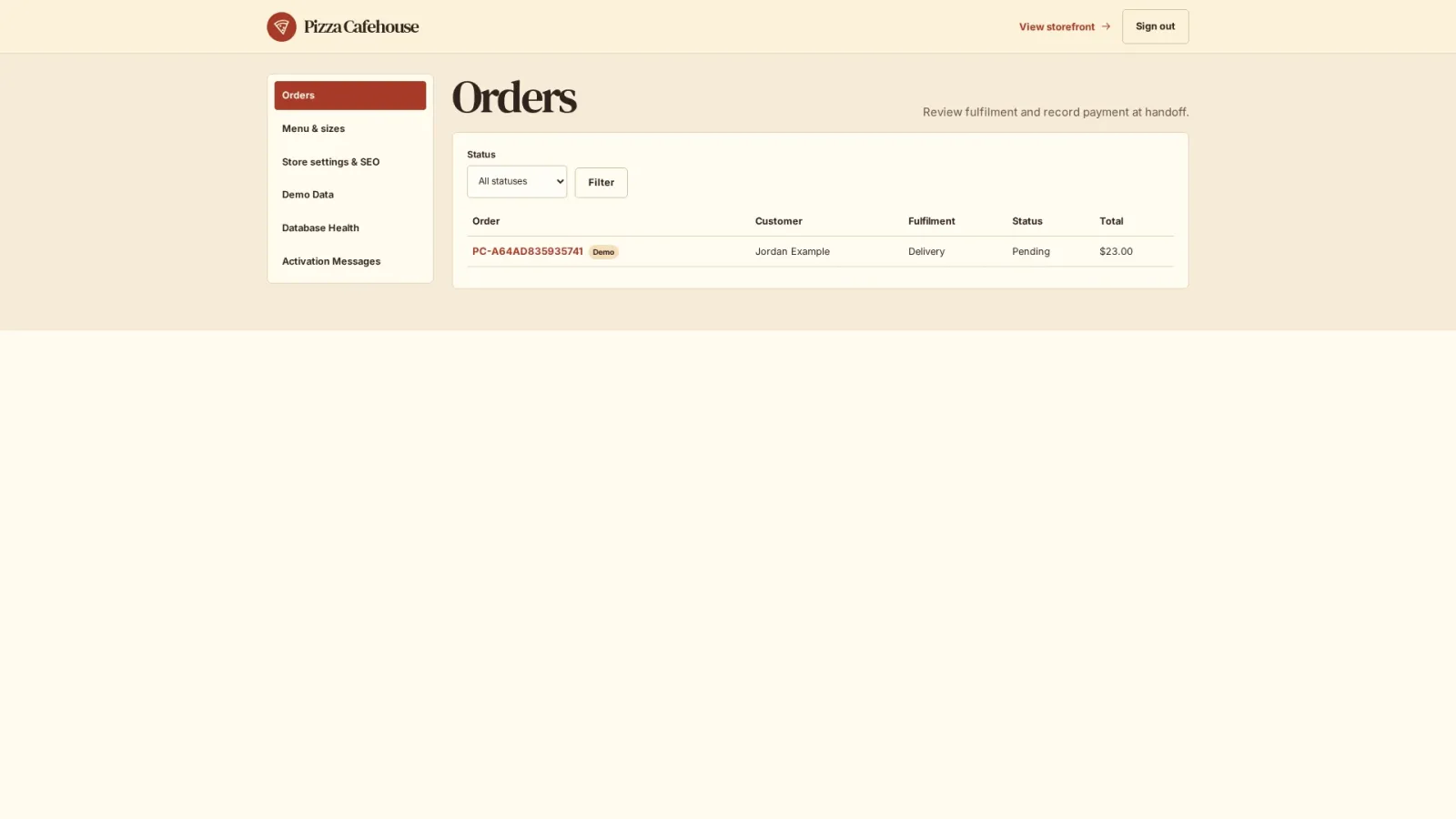
Confirm an order, mark it as preparing and ready, then follow the delivery or pickup workflow. Record payment after handoff. Cancelling an eligible order restores its stock.
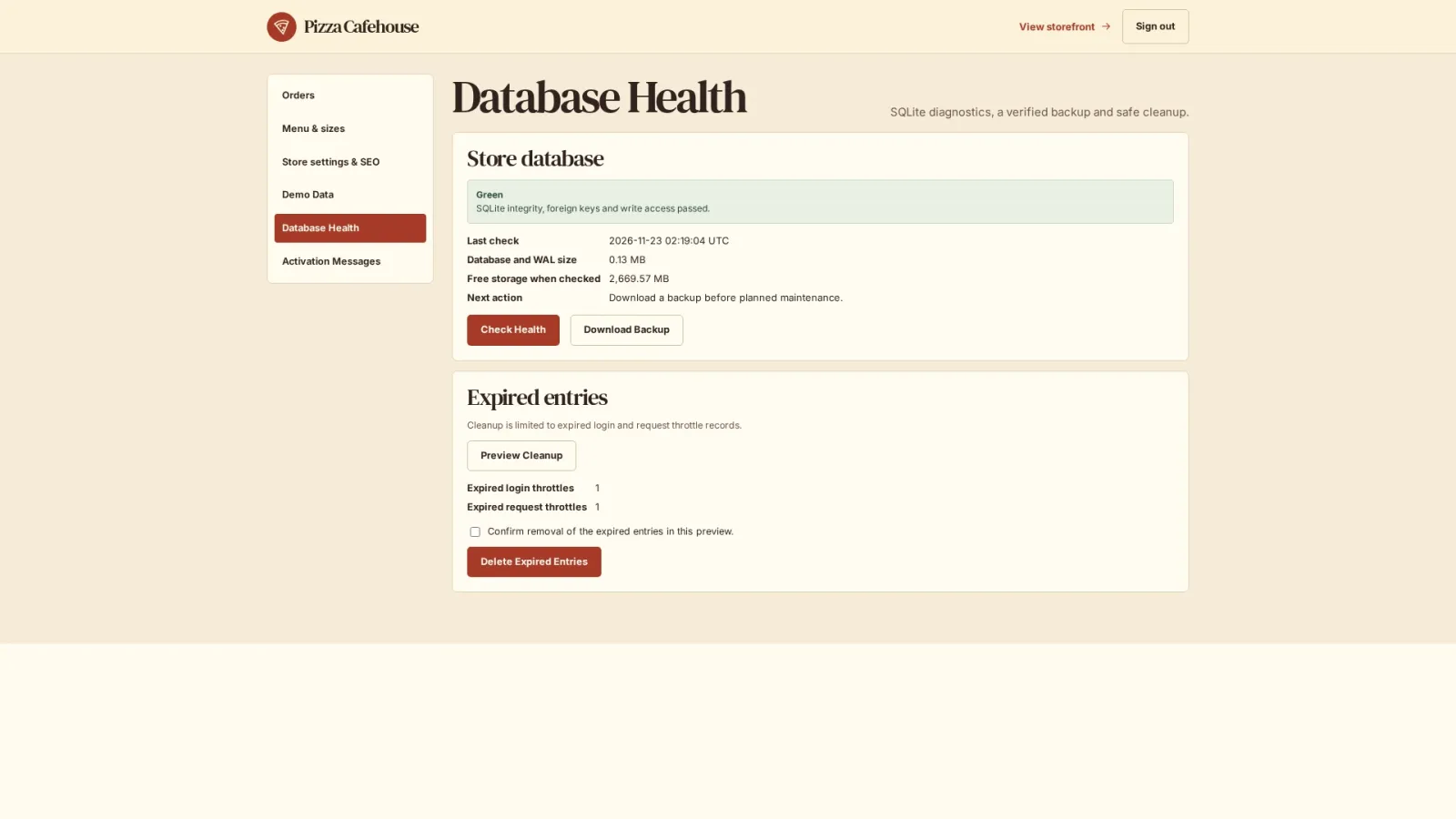
Database Health reports SQLite checks, shows storage information, downloads a verified snapshot and previews expired throttle entries before removal.
Install the optional demo on an empty store. It adds three sample pizzas with three sizes each, example USD prices and delivery zones, a simulated cutoff, and a sample checkout.
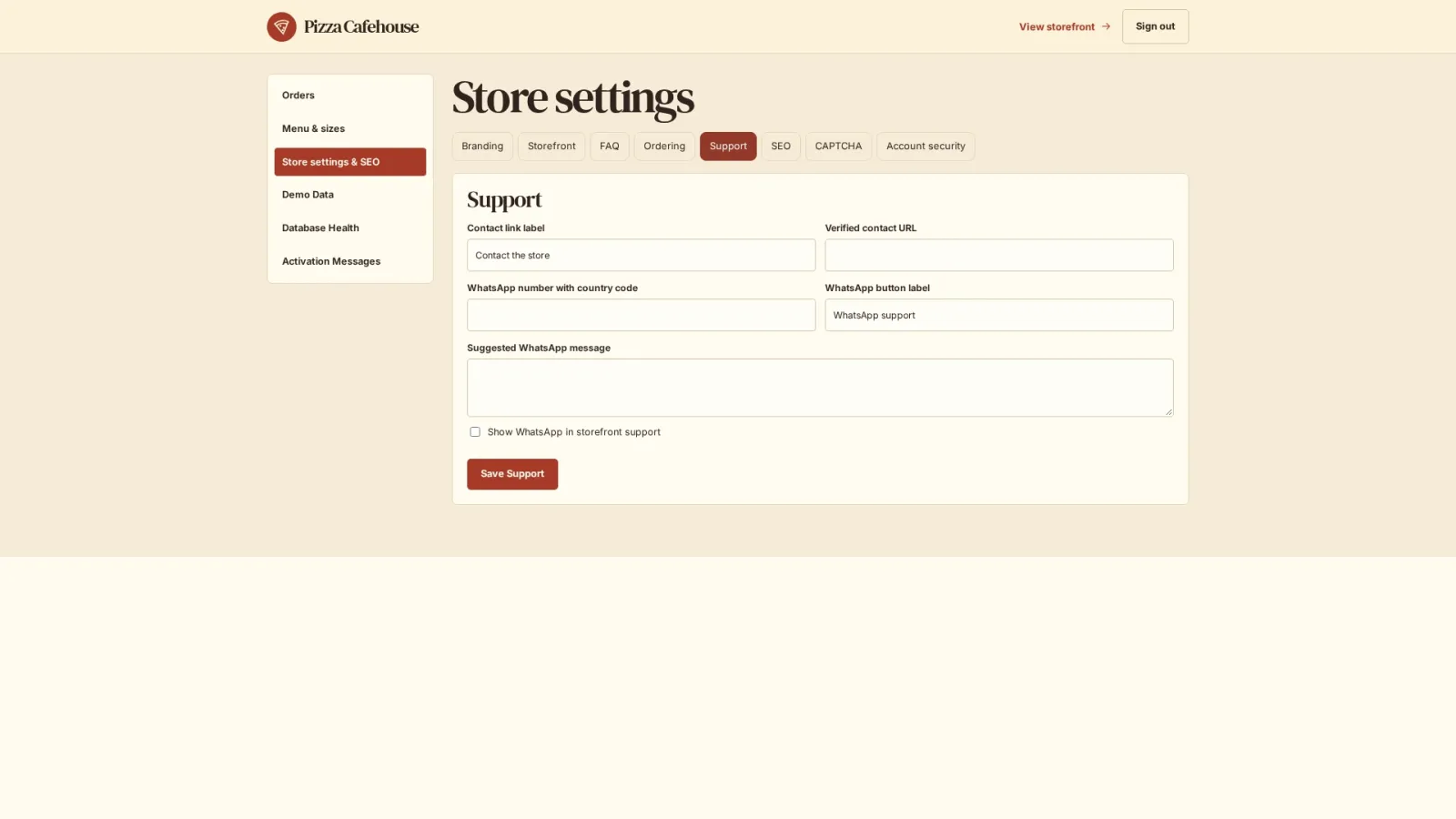
Turn on a WhatsApp link in the storefront footer, configure Google reCAPTCHA v2 for selected forms, and enroll Google Authenticator for administrator sign-in with one-time recovery codes.
Add real pizzas and size stock, set currency and time zone, and enter delivery fees, the pickup address, payment terms and store policies. The Admin screen also controls branding, storefront text, FAQ entries and indexing.
Yes. Guest checkout collects contact information and a street address when delivery is selected. The confirmation is available in the same browser session.
The store uses pay-on-handoff. Admin records payment received after pickup or delivery. Online payment processing is outside this release.
The web installer creates a private SQLite database through PHP PDO SQLite. Hosting must provide the extension and writable private storage.
It previews expired login and request throttle entries. Admin confirms their removal. Cleanup keeps orders, products, stock, payments, settings and activation.
The English storefront, checkout, and Admin features included in the SQLite 1.2.1 release.
Install the PHP application on Apache with PDO SQLite and a valid SourceWrap buyer key.
Enable the packaged .htaccess rules, mod_rewrite and DirectoryIndex. Use HTTPS for hosted setup. Direct localhost HTTP is supported for XAMPP.
Enable PDO SQLite, Sodium, Fileinfo, Ctype and sessions. For activation, enable cURL or OpenSSL HTTPS streams with a trusted CA store.
Use the SQLite build linked to PHP PDO SQLite. The installer creates the store database.
Allow the PHP account to write to private/storage. Keep Apache access rules in place and leave space for verified backup downloads.
pizza-cafehouse on the activation screen, then sign in with the admin account.To enable reCAPTCHA, provide Google reCAPTCHA v2 checkbox keys valid for the installed hostname and allow the server to reach Google over HTTPS. Enroll Google Authenticator in Admin and store the one-time recovery codes safely. For WhatsApp support, enter the store’s number in international format and enable it in the Support tab.
After activation, the release instructs the operator to schedule its Owner sync every minute. Replace the example paths with the host's actual PHP CLI binary and the absolute installation path.
/usr/bin/php /absolute/path/to/store/private/app/sourcewrap/sync.php sync
Set the schedule fields to * * * * *. Check the PHP version with the same CLI binary, then verify the scheduled run in the host's output and review Activation Messages after the seller sends a notice.
No reviews yet.
Log in to write a review
شہد فروخت کرنے کے لیے اردو RTL لینڈنگ پیج۔ بصری ایڈیٹر سے تصاویر، قیمت اور پیک سائز بدلیں، واٹس ایپ پر آرڈر کی گفتگو شروع کریں اور رابطہ پیغامات ایڈمن ان باکس میں پڑھیں۔
3-day money back
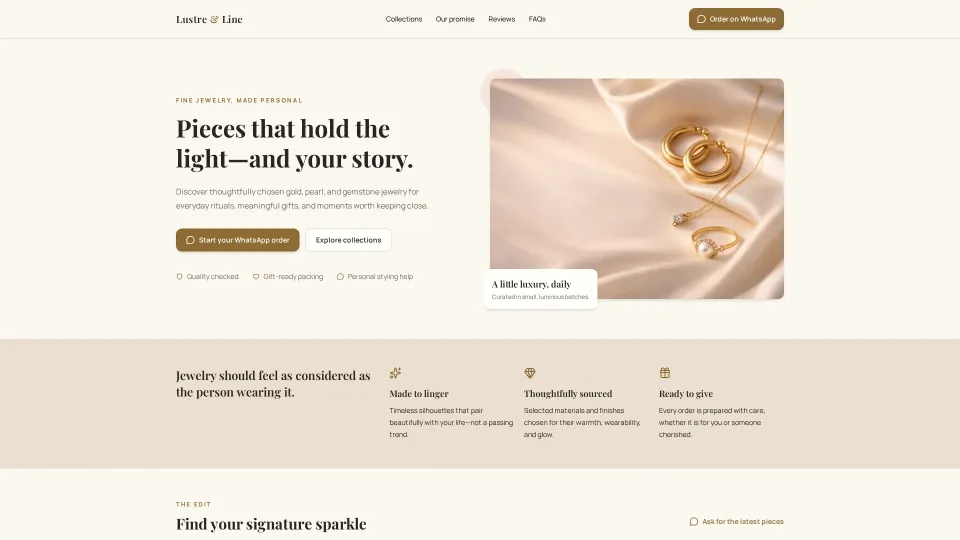
An editable jewelry landing page with a Visual Admin editor, ready-made collections, WhatsApp inquiries and a built-in inquiry inbox.
3-day money back
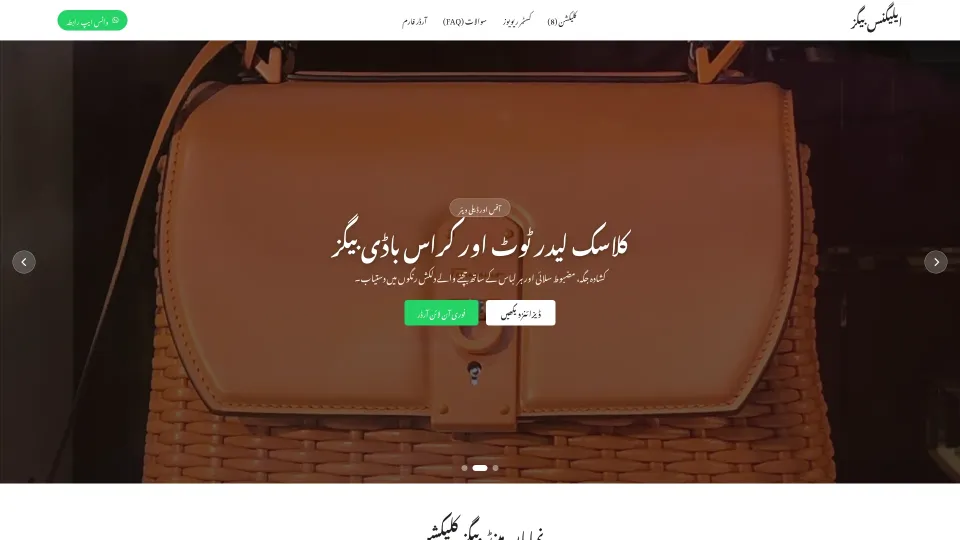
Elegance Handbags is an editable Urdu RTL storefront for handbag boutiques, built with Plain PHP and SQLite. Update product photos, prices, and page sections in Visual Admin, and collect guest order inquiries through WhatsApp.
3-day money back