
SourceWrap

Fly

Fly is an editable flight and tour enquiry website with a travel quote form, a Visual Studio and a built-in enquiry inbox.

Description

Fly | Flight & Tour Enquiry Website

Fly

An editable flight and tour enquiry website for travel agencies, tour operators and independent travel advisors who handle quotes and trip arrangements directly with travellers.

VERSION 1.2.2 PHP SQLITE VISUAL STUDIO

Common workflows

Show what you offer

Use the supplied destination photographs, travel-service sections, trip ideas and FAQs as a starting point. Update the page’s text, photography and links in Fly Studio.

Publish your travel options

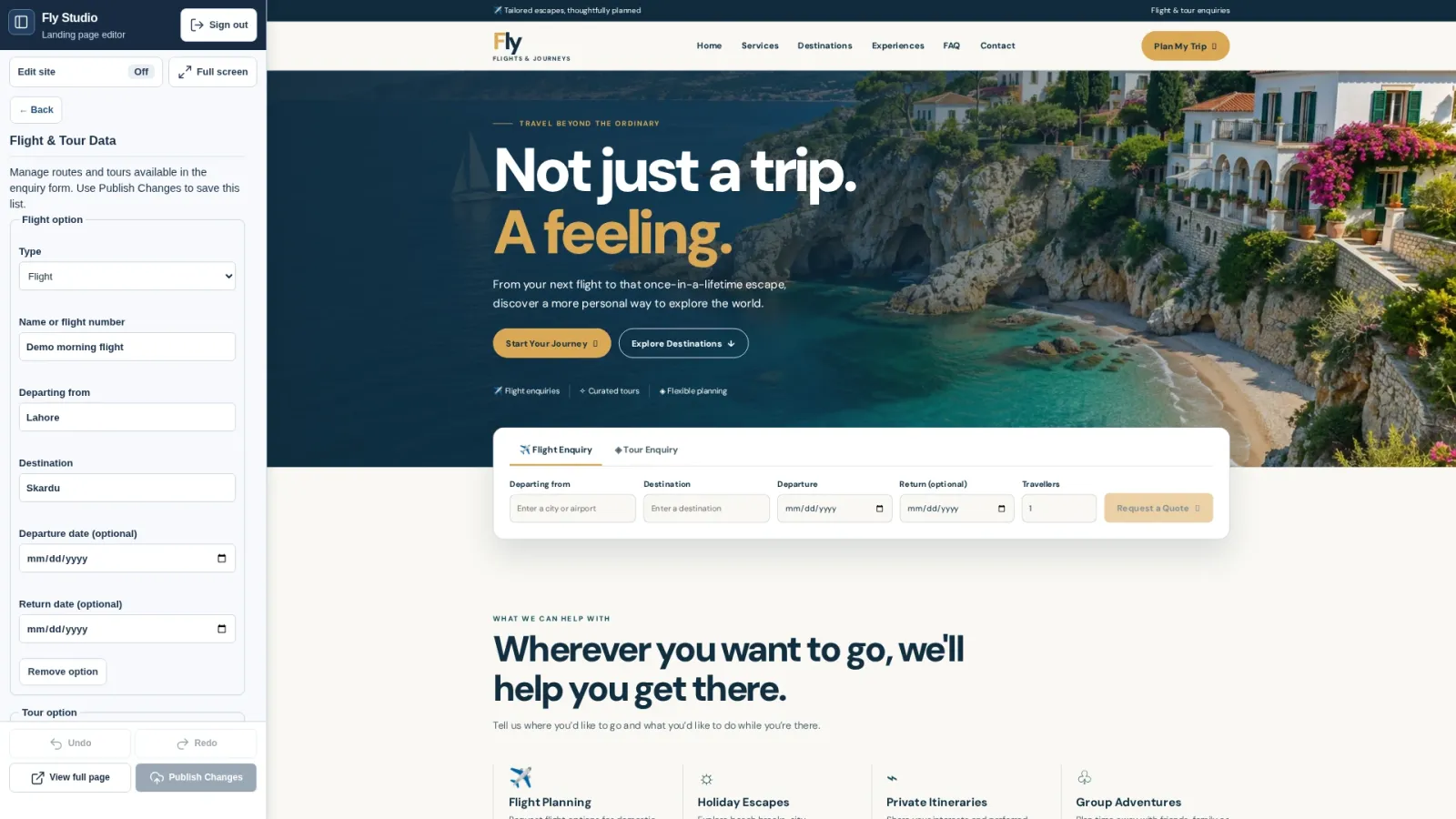
Add a named flight or tour, its destination and optional dates. Published options can fill the quote form, and travellers can enter their own itinerary.

Collect a complete quote request

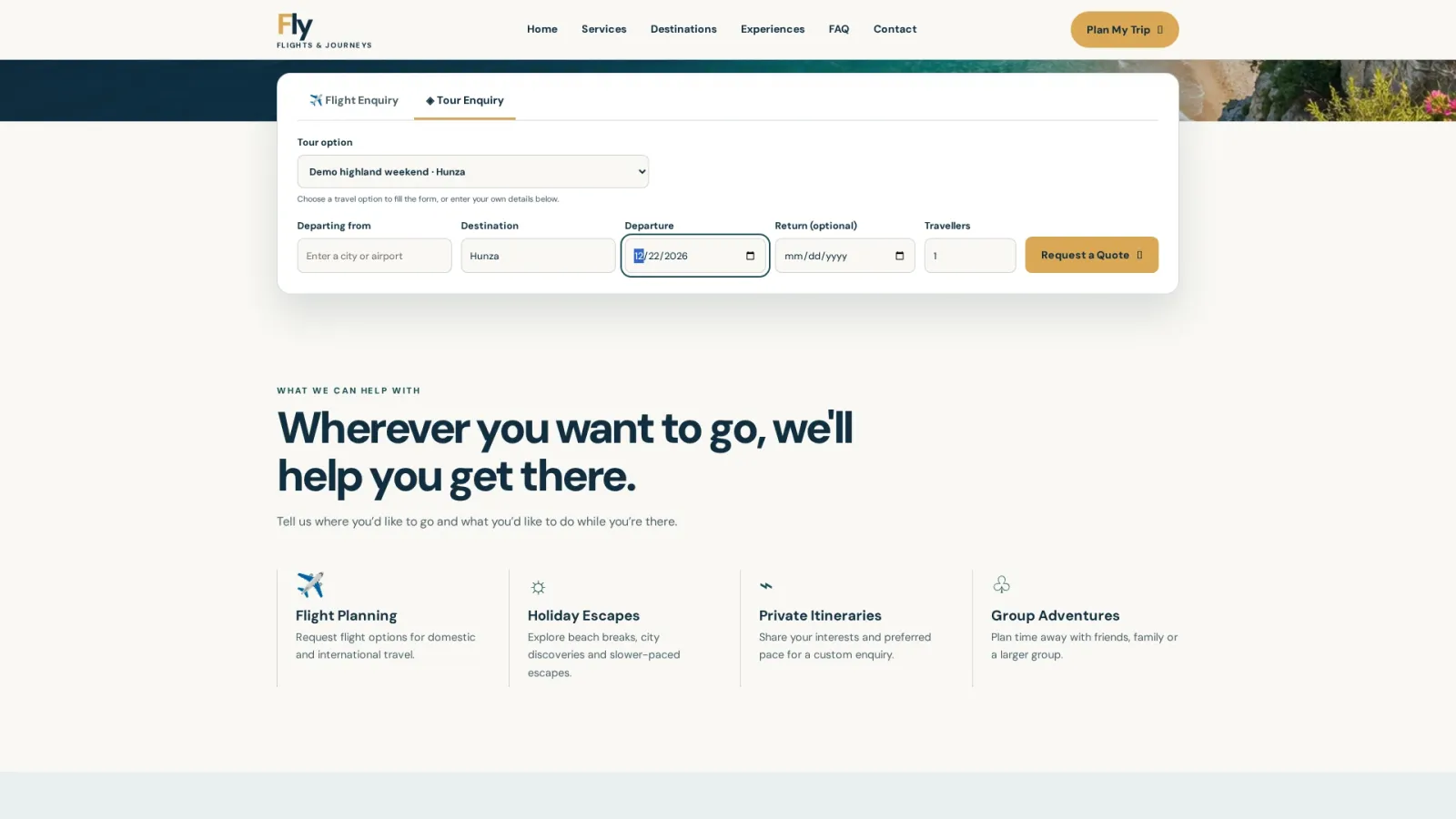
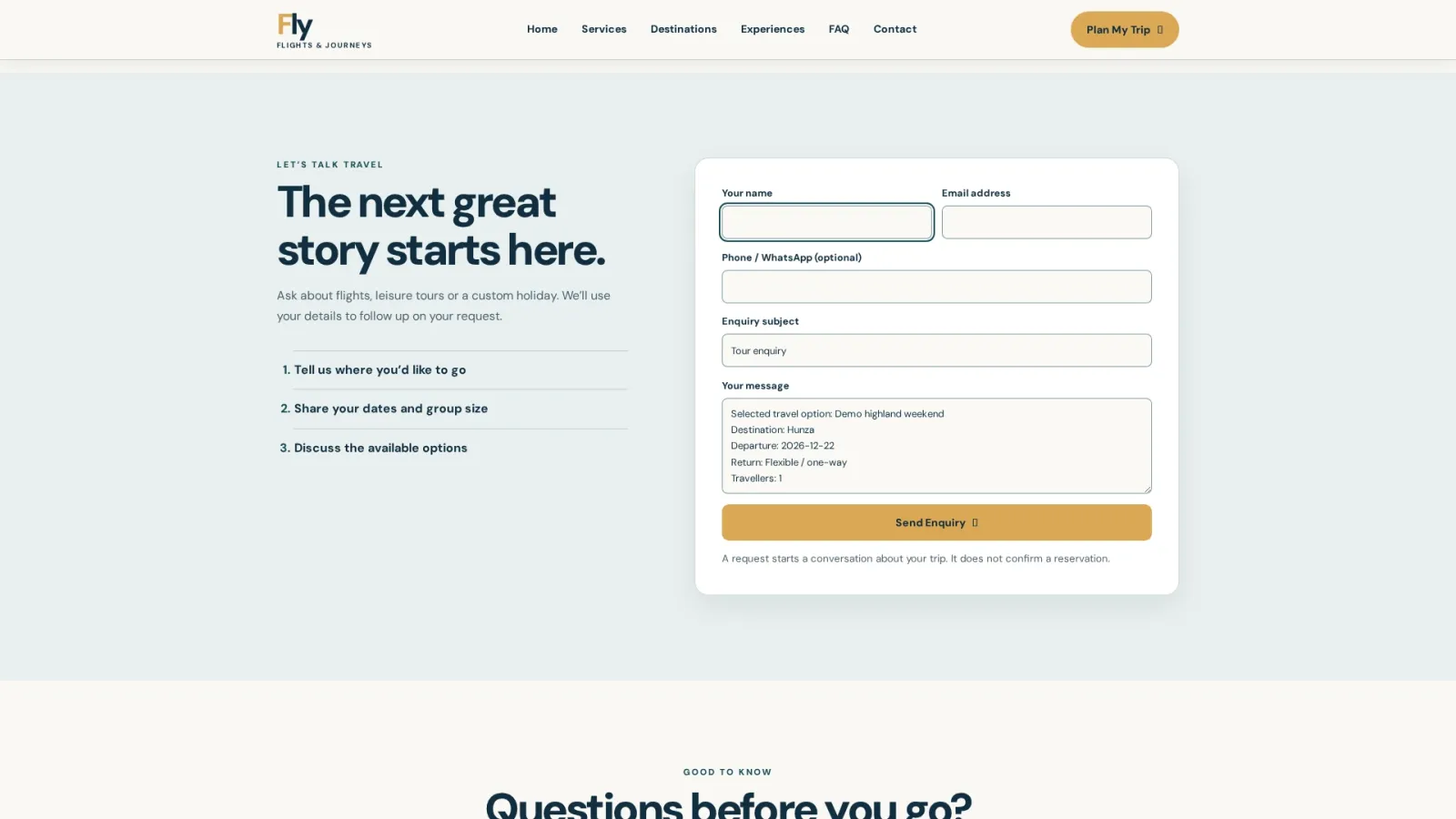
Visitors select a flight or tour enquiry, enter dates and traveller count, then review the prepared details and submit their contact information.

Follow up on enquiries

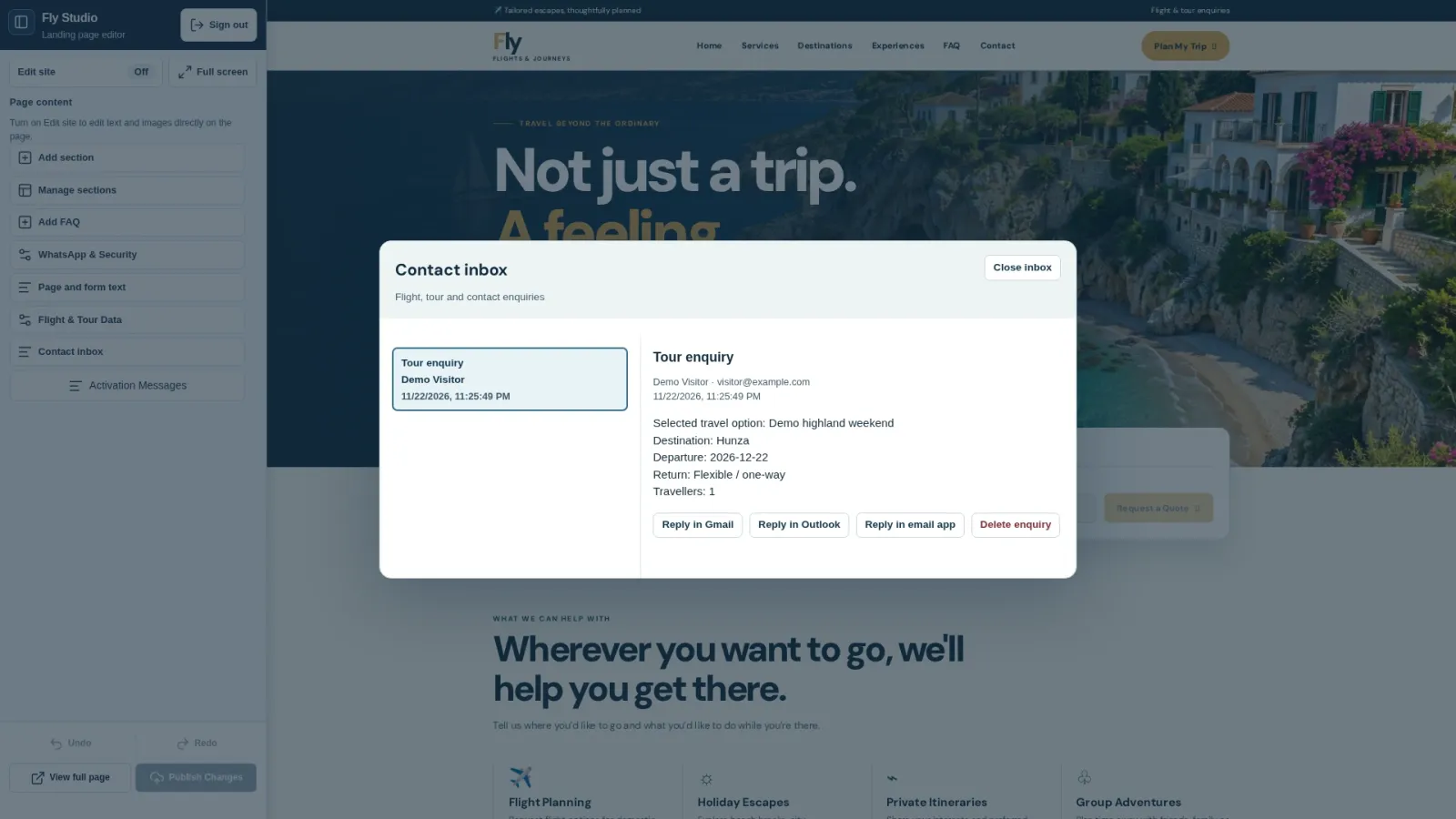
Open saved enquiries in the private Contact inbox. Read the travel details and open a draft reply in Gmail, Outlook.com or your email app.

Explore Fly

Travel enquiry landing page

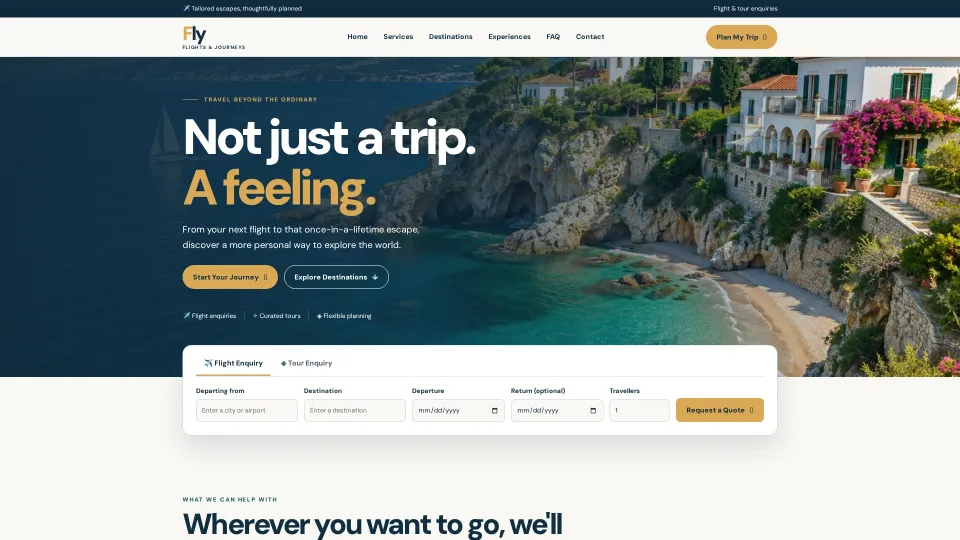
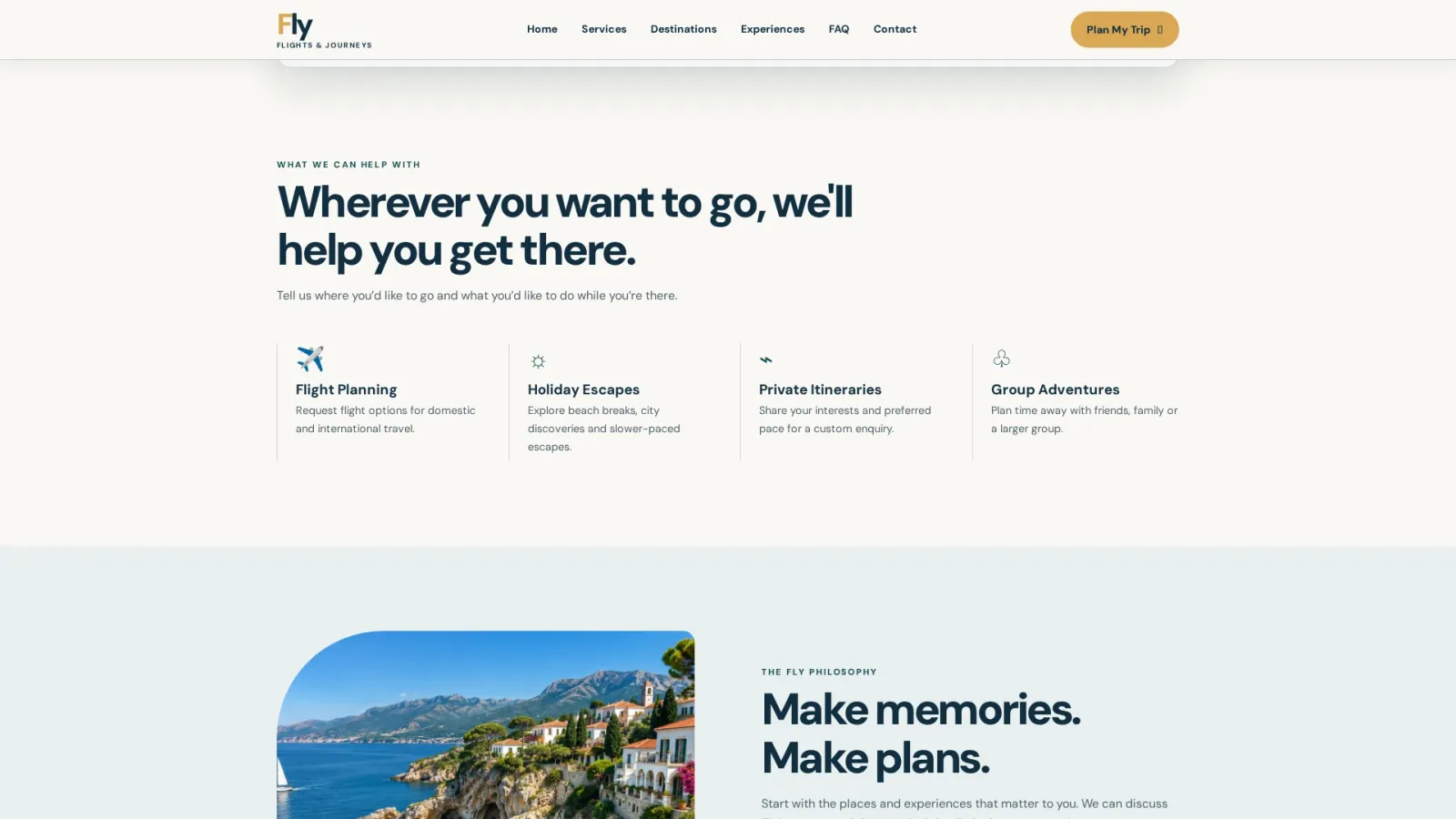
The responsive English storefront combines a full-width photo hero, a flight and tour quote panel, destination and experience cards, contact and FAQs. Start with the included design and adapt it to your services.

Visual publishing workspace

Use in-page editing for text, photos and buttons. Reorder sections, add FAQs, adjust the page’s search title and description, and publish page content, travel options and site settings from the same Studio.

Business contact and account controls

Set the WhatsApp destination and starter message, footer social profiles, Google Maps location and footer sign-in shortcut. Admins can enroll an authenticator, and the public contact form can use Google reCAPTCHA v2 Invisible or hCaptcha.

Frequently asked questions

What happens after a visitor requests a quote?

Request a Quote fills the contact form with the trip details. Send Enquiry saves the completed submission in the operator’s inbox. Your team follows up to confirm fares, availability and reservations.

Can visitors enquire about a trip that is not listed?

Yes. They can enter their own destination, departure date and traveller count. Flight enquiries also ask for a departure city or airport.

How are email replies handled?

Reply buttons open a draft in Gmail, Outlook.com or your email app. Send the reply from the app you choose.

How do I activate Fly?

Complete browser setup on the intended site hostname. Enter the SourceWrap key issued for Fly on the separate activation screen, then sign in using the administrator account created during setup.

Complete Feature List

Fly includes the travel landing page, enquiry tools, editable Studio and owner controls.

Travel storefront

Responsive English landing pageINCLUDED
Full-width travel photo hero with editable calls to actionINCLUDED
Travel services, destinations and experiencesINCLUDED
Destination and experience cards connected to the tour enquiry panelINCLUDED
Expandable frequently asked questionsINCLUDED
Integrated contact and footer sectionsINCLUDED

Flights, tours and inbox

Admin-managed flight and tour optionsINCLUDED
Flight departure city, destination and optional listed datesINCLUDED
Flight and tour mode selector with optional itinerary prefillingINCLUDED
Guest enquiry form with dates, travellers and contact detailsINCLUDED
Private SQLite Contact inbox with unread indicatorsINCLUDED
Open, read and delete enquiriesINCLUDED
Reply drafts for Gmail, Outlook.com and email appsINCLUDED

Visual Studio

In-page editing for text, buttons, links and photosINCLUDED
Photo replacement, crop and alternative textINCLUDED
Section management and ready-made section layoutsINCLUDED
Controls for item position, layers, section spacing and appearanceINCLUDED
Page title, search description and link controlsINCLUDED
Editable FAQs, contact labels and enquiry instructionsINCLUDED
Undo, Redo, Publish Changes and published-page previewINCLUDED

Business settings

Business WhatsApp number and starter messageINCLUDED
Footer social profile linksINCLUDED
Google Maps address, share link and optional embedINCLUDED
Configurable public footer Admin Sign In shortcutINCLUDED

Setup and account protection

Browser installer and first admin accountINCLUDED
SQLite database and private storageINCLUDED
SourceWrap activation and Activation MessagesINCLUDED
Optional authenticator-based two-step verification with recovery codesINCLUDED
Optional Google reCAPTCHA v2 Invisible or hCaptchaINCLUDED
CLI sync for signed seller controls and noticesINCLUDED

Hosting Requirements

Run Fly on Apache with PHP, SQLite, HTTPS and an available PHP CLI for SourceWrap sync.

Server requirements

Web serverREQUIRED

Apache with mod_rewrite

Allow the supplied .htaccess rules and keep hidden files during upload. These rules serve the entry points and protect private files.

PHPREQUIRED

PHP 8.2 or newer

Enable PDO SQLite, Fileinfo, ctype, Sodium and OpenSSL. Use PHP cURL or verified HTTPS streams, with a working CA trust store for outbound HTTPS.

DatabaseREQUIRED

SQLite 3.35 or newer

SQLite 3.35 is the minimum for the SQL operations the release uses. The browser installer initializes the database. Give PHP write access to private/storage and keep that directory inaccessible on the public web.

Hosted accessREQUIRED

HTTPS, approved setup IP and SourceWrap key

Prepare the approved administrator IP in the supplied installation access configuration before hosted setup. Use the final hostname and a key issued for Fly.

Install and launch

  1. Upload the release contents to the document root and keep the included hidden files.
  2. Open the site on its final HTTPS hostname from the approved administrator IP and complete browser setup.
  3. Enter the SourceWrap key on the activation screen. Sign in, publish your travel options and submit a test enquiry.
  4. If enabling CAPTCHA, supply the provider keys and registered hostname. Allow outgoing HTTPS to the provider.

SourceWrap sync after activation

Schedule the release’s private sync script every minute to receive signed owner changes and Activation Messages. In a scheduler with separate fields, set the cadence to * * * * * and paste the command alone. Substitute the actual PHP CLI and application paths for your host.

/usr/bin/php /absolute/path/to/fly/private/sourcewrap-cli.php sync

Check that this PHP CLI is 8.2 or newer and has the same required extensions and access to private storage. Replace sync with status to check saved licensing state. Review the scheduler’s output after saving. Windows XAMPP instructions are included in the release README.

Reviews

No reviews yet.