Show the collection at a glance
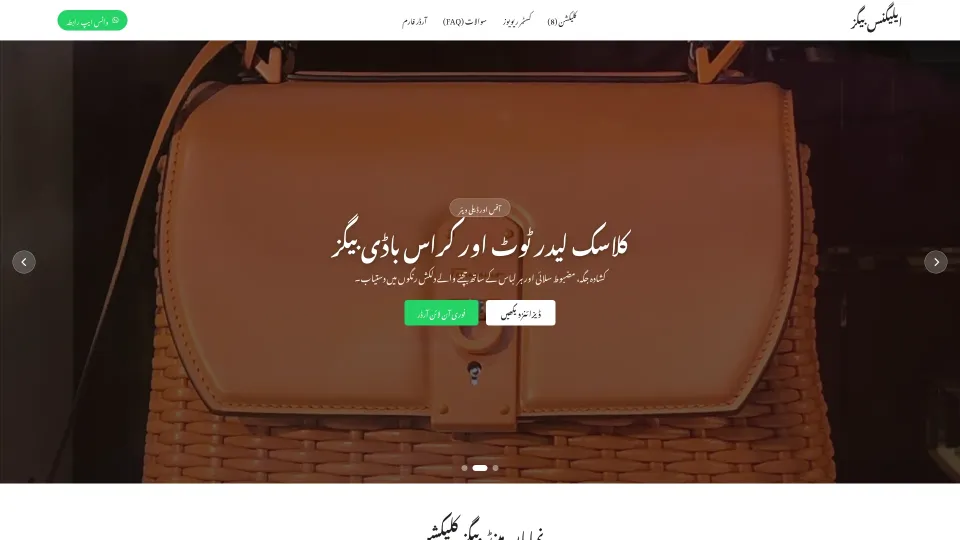
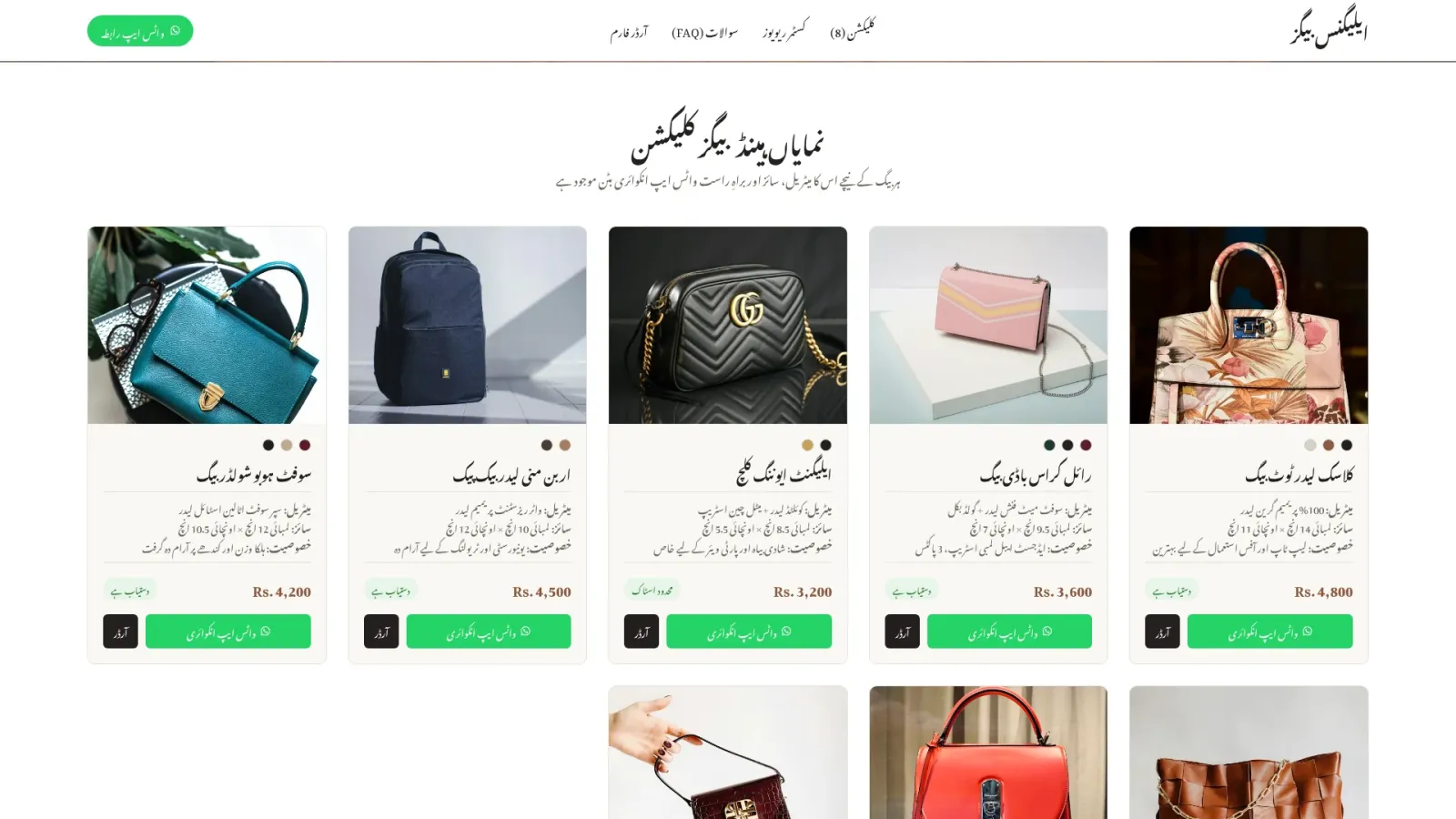
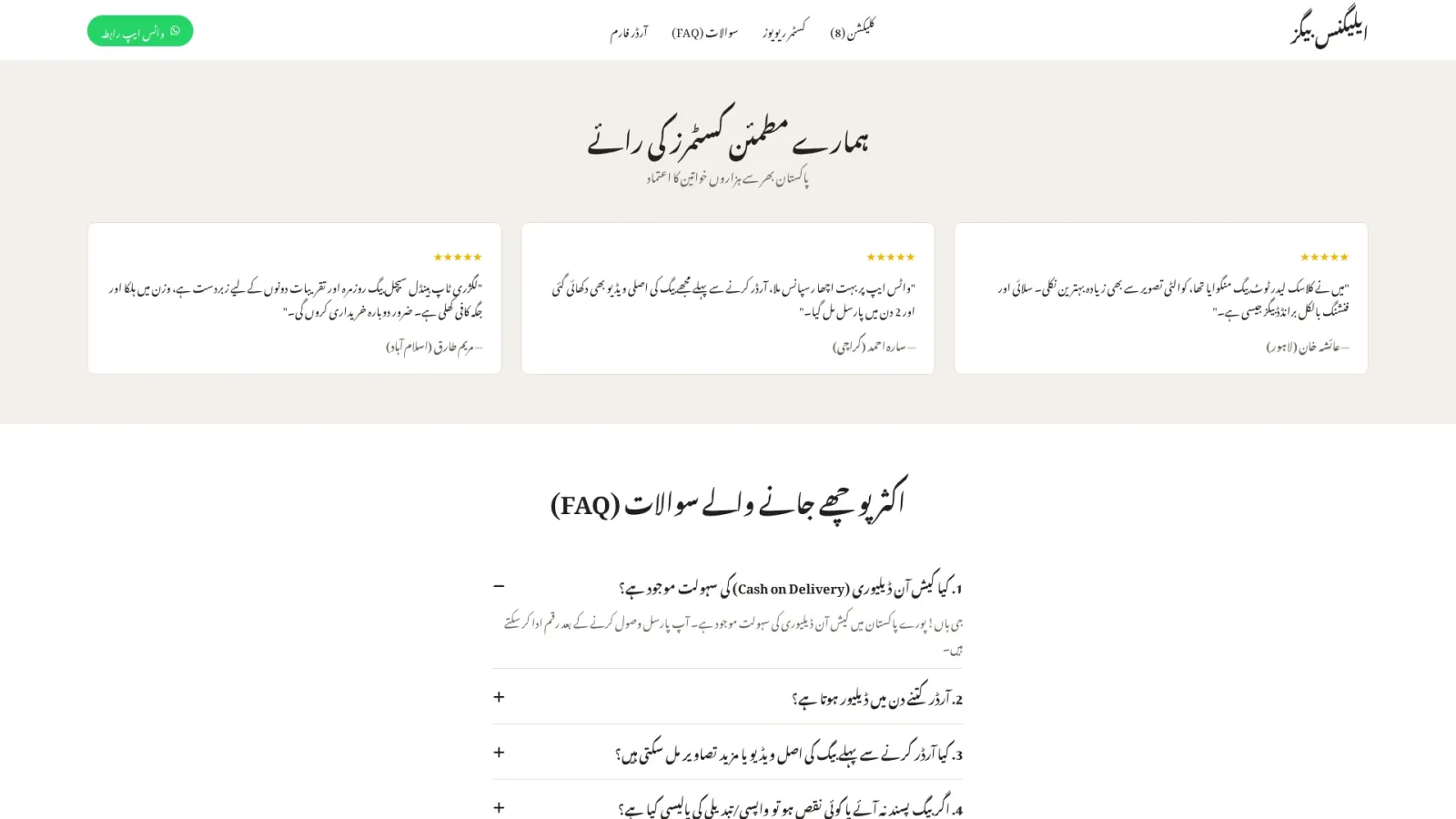
Open with a three-slide hero, then show product photos and prices in an eight-slot catalog. Each product card gives shoppers a direct way to ask about that bag.
Elegance Handbags is an editable Urdu RTL storefront for handbag boutiques, built with Plain PHP and SQLite. Update product photos, prices, and page sections in Visual Admin, and collect guest order inquiries through WhatsApp.
Screenshot unavailable
1 / 5
An Urdu, right-to-left storefront for handbag boutiques that sell through WhatsApp. Show your collection and prices, take guest inquiries, and update the page in Visual Admin.
Open with a three-slide hero, then show product photos and prices in an eight-slot catalog. Each product card gives shoppers a direct way to ask about that bag.
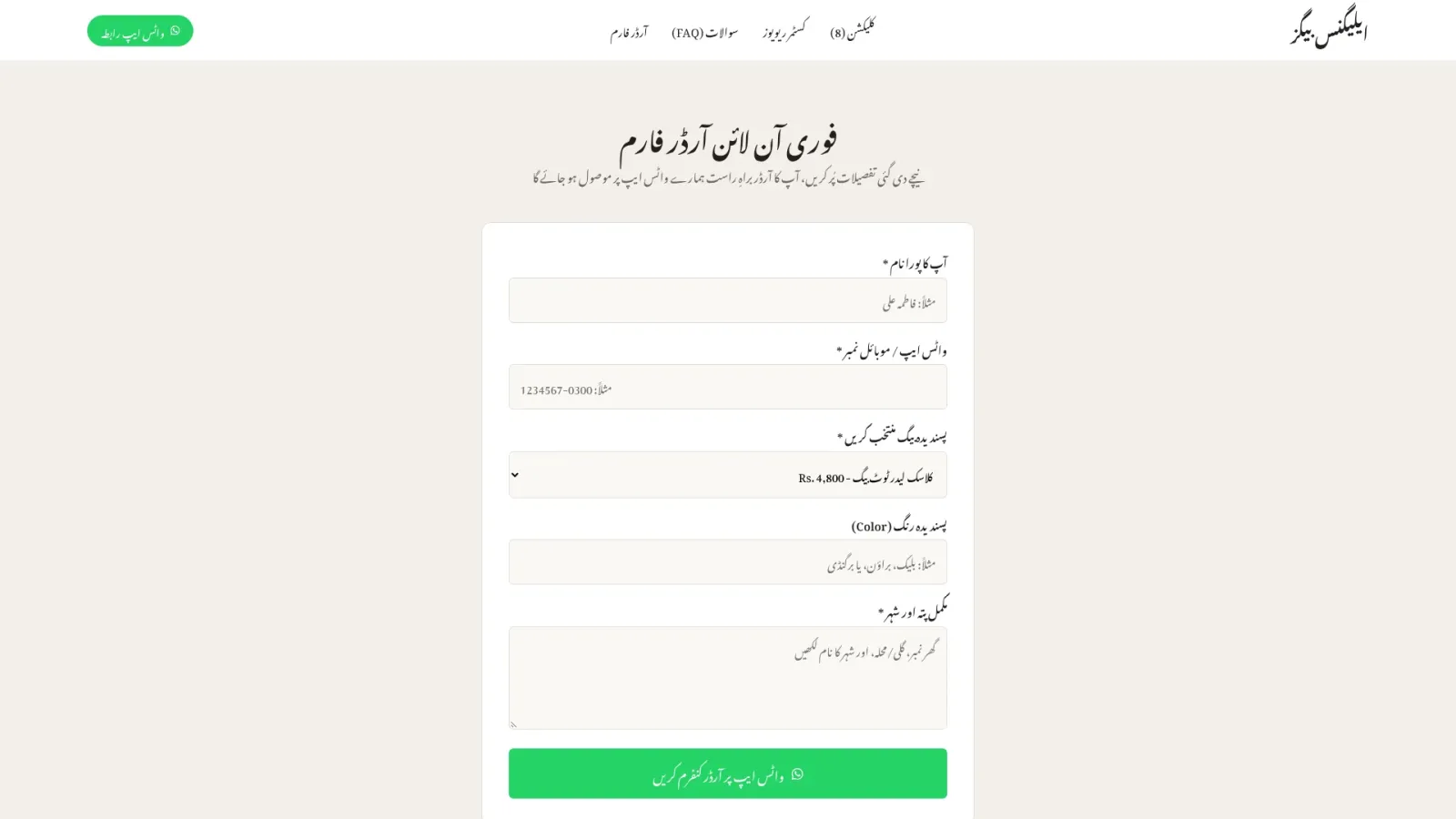
Guests choose a bag and enter their name, phone, delivery address and optional color. The form prepares a WhatsApp draft with the selected bag and its price.
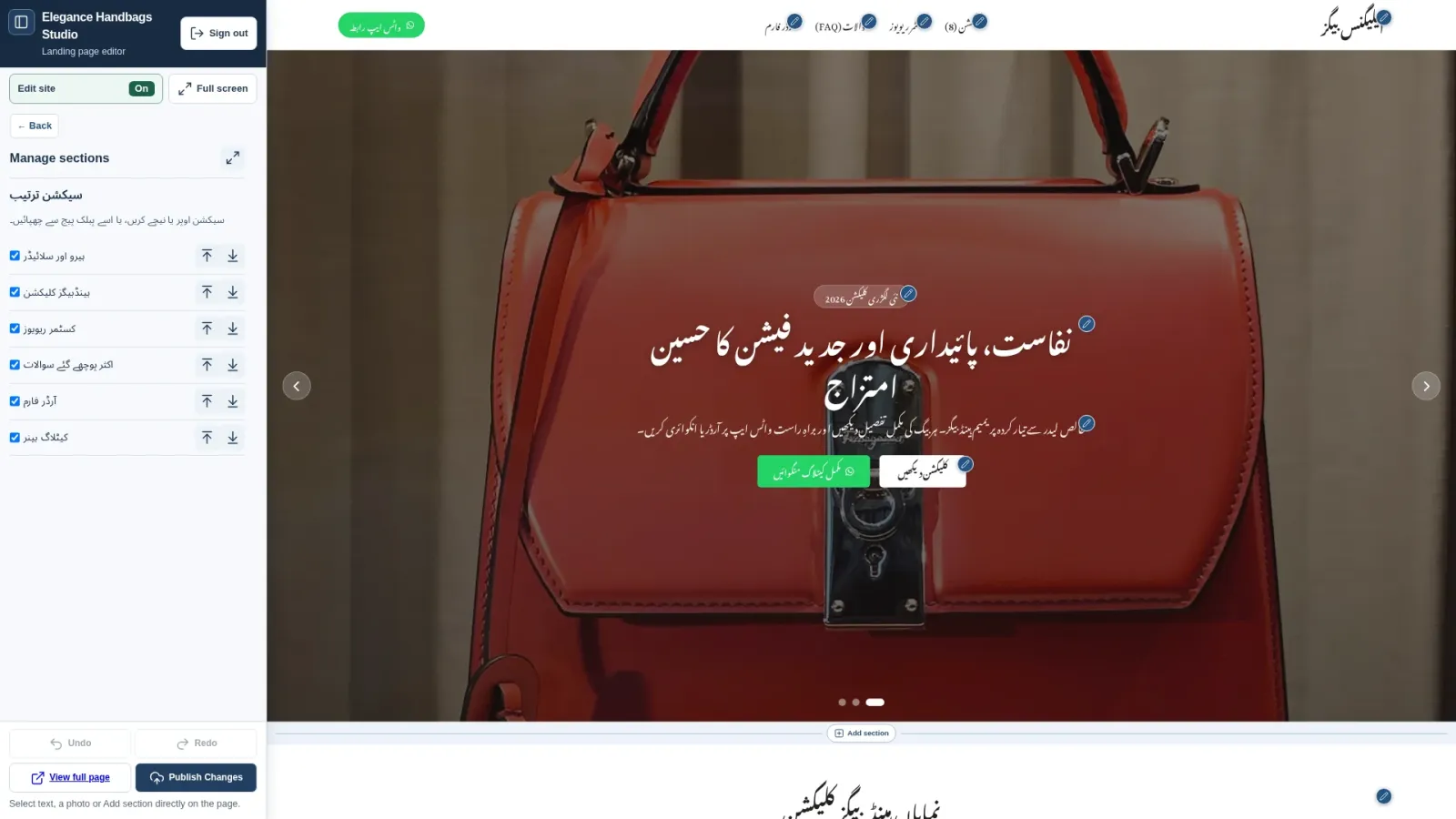
Change text and photos in the page preview. Reorder sections, hide sections you are not using, and publish when your changes are ready.
Open Order Inbox inside Visual Admin to review saved requests, see which ones are new, and delete records you no longer need.
Replace the demo names, prices, descriptions and photos with your own collection. Add customer reviews and answers to common questions, or choose from 11 section layouts for more product photos, specifications, videos and WhatsApp buttons.
Publish your business WhatsApp number before opening the store. Submitting the guest form saves the inquiry and opens a draft addressed to that number. The customer sends the message in WhatsApp, where you arrange payment, delivery and final confirmation.
Switch on Edit site to select text or images in the preview. Undo or redo edits while you work. Use the restore controls to recover the previous published page or the default design.
Version 1.0.3 includes the Plain PHP application, browser-based installer, SQLite schema, sample storefront content and setup instructions. Activation requires a SourceWrap key issued for Elegance Handbags and permitted for your hostname.
Yes. Upload JPEG, PNG or WebP files up to 4 MB each, or enter an HTTPS image URL. Video sections accept direct HTTPS links to MP4 or WebM files.
The built-in guest form offers the eight catalog slots included in the storefront. You can edit those products and add separate sections to show more photos or product information.
Set your business WhatsApp number with its country code, replace the sample photos, prices and testimonials, review the storefront on mobile, then publish and test an inquiry using your own details.
Storefront, editing, guest inquiries and setup features in the Elegance Handbags 1.0.3 buyer release.
Use PHP 8.2 or newer on an Apache host with PDO SQLite. For a public installation, use HTTPS on your final domain and enable a once-per-minute task for SourceWrap sync.
The server must honor the supplied .htaccess directives for routing and protection of private files. Keep all of those files when extracting or uploading the release.
Enable PDO SQLite, Sodium, OpenSSL, Fileinfo and ctype. Provide either cURL or verified PHP HTTPS streams with a trusted CA bundle.
The installer creates a local SQLite database. PHP needs write access to the private storage directory. That directory must be blocked from public web access.
Open the installer at your final HTTPS URL. Use a key issued for product code elegance-handbag and permitted for your hostname. The server must reach activation.sourcewrap.com over outbound HTTPS.
/admin. Update the demo content and business WhatsApp number, then choose Publish Changes.Schedule sync every minute to process signed license updates and Activation Messages. Use your host’s absolute PHP CLI and installation paths. Check the selected PHP binary with php -v using that same executable.
For a crontab, replace the sample paths and add this line.
* * * * * /usr/bin/php /absolute/path/to/elegance-handbags/private/app/sourcewrap/sync.php sync
If the hosting panel has separate schedule fields, set them to * * * * * and paste only the command below.
/usr/bin/php /absolute/path/to/elegance-handbags/private/app/sourcewrap/sync.php sync
Run the status command after activation and check the scheduler’s output or logs for a scheduled run.
/usr/bin/php /absolute/path/to/elegance-handbags/private/app/sourcewrap/sync.php status
On Windows XAMPP, schedule this example command once per minute in Task Scheduler. Adjust the installation path if needed.
C:\xampp\php\php.exe C:\xampp\htdocs\elegance-handbags\private\app\sourcewrap\sync.php sync
The release ships with CAPTCHA off. To enable it, configure the provider’s site key, secret and approved hostname using the instructions in the release.
The sample storefront references Unsplash, Google Fonts and Font Awesome. Replace the sample photos from Visual Admin if you want to serve your own product images.
No reviews yet.
Log in to write a review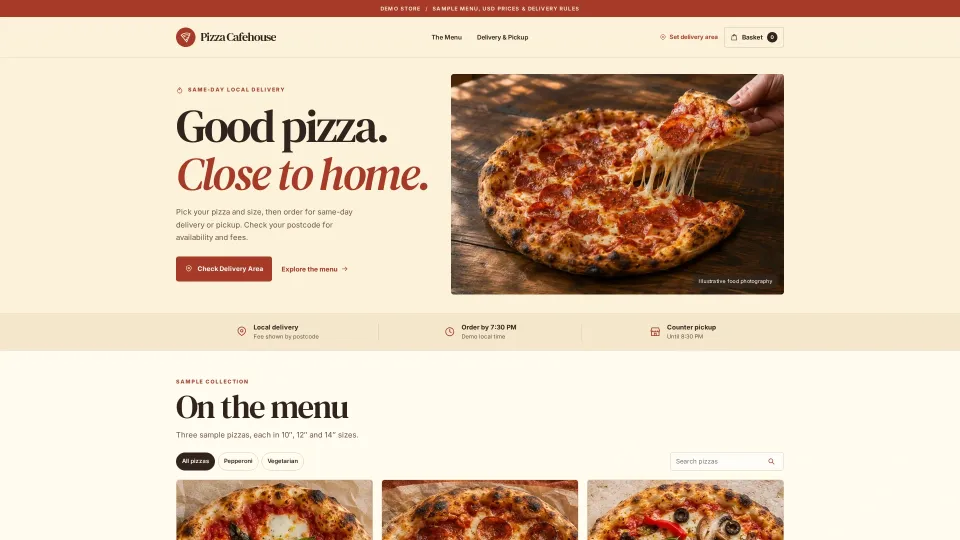
A Plain PHP and SQLite pizza ordering site with menu search, size variants, same-day delivery and pickup, guest checkout, and a tabbed admin for orders, stock, CAPTCHA, two-factor sign-in and WhatsApp support.
3-day money back
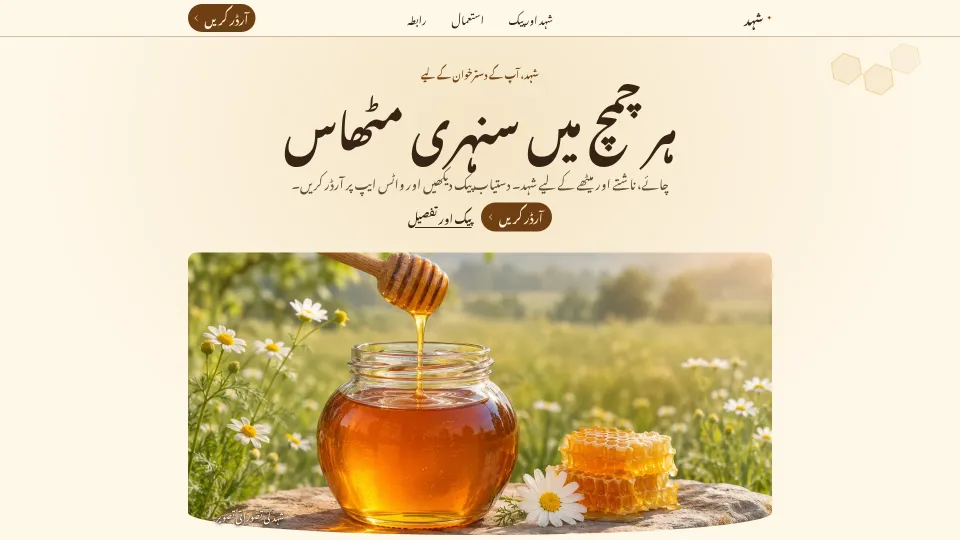
شہد فروخت کرنے کے لیے اردو RTL لینڈنگ پیج۔ بصری ایڈیٹر سے تصاویر، قیمت اور پیک سائز بدلیں، واٹس ایپ پر آرڈر کی گفتگو شروع کریں اور رابطہ پیغامات ایڈمن ان باکس میں پڑھیں۔
3-day money back
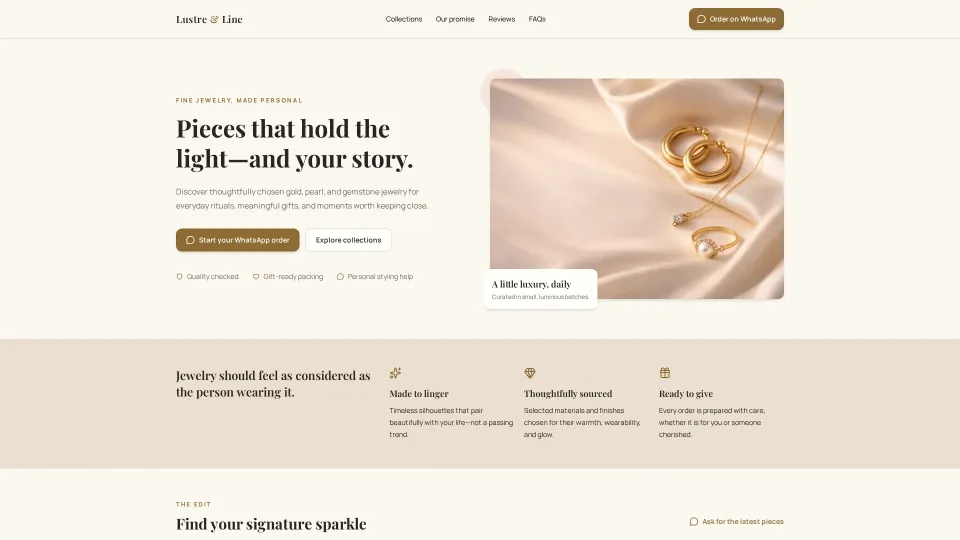
An editable jewelry landing page with a Visual Admin editor, ready-made collections, WhatsApp inquiries and a built-in inquiry inbox.
3-day money back